Great content is the foundation of a successful blog. You can have a beautiful design and strong SEO, but if your writing isn’t clear, engaging, and error‑free, readers will leave quickly. The good news is you don’t need expensive software or expert help to write better blog posts. In 2026, there are powerful free writing tools available that help with grammar, readability, research, structure, and even creativity.
This guide introduces the best free writing tools every blogger should use to craft high‑quality blog posts readers love—and search engines reward.
Why Writing Quality Matters for Blogs
Before we dive into tools, let’s quickly cover why writing quality matters:
-
Keeps readers engaged: Clear, error‑free writing keeps visitors reading longer.
-
Builds authority: Well‑written content boosts credibility and trust.
-
Improves SEO: Search engines favor content that satisfies user intent, which often comes from better writing.
-
Increases sharing and backlinks: High‑quality posts are more likely to be shared and linked by other sites.
With the right tools, you can create polished, professional content even without professional writing experience.
1. Grammarly – The Most Popular Writing Assistant


What it does:
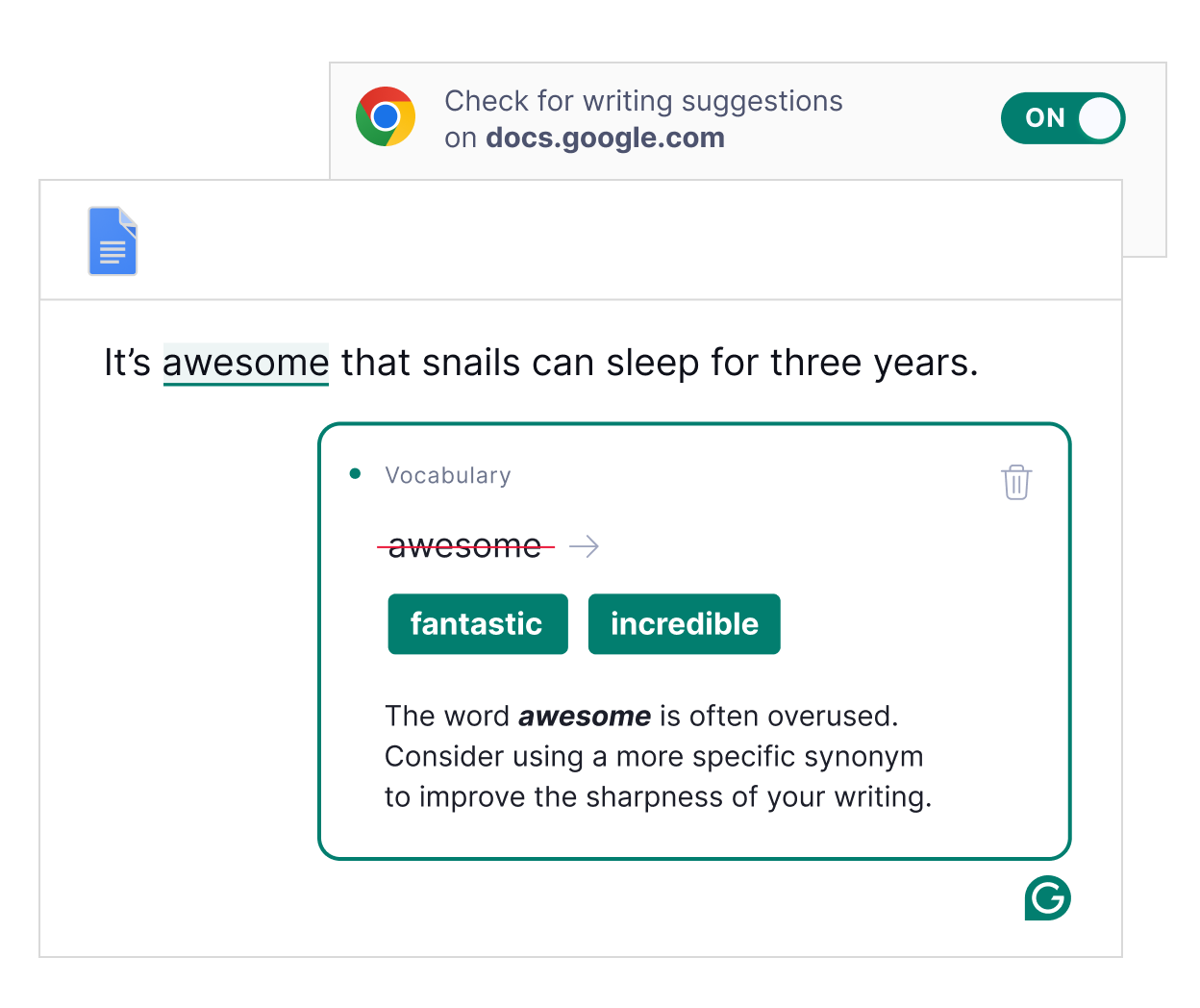
Grammarly checks grammar, spelling, punctuation, clarity, and tone as you write. It integrates with browsers, Google Docs, and most blogging editors.
Why it’s great:
-
Highlights grammar and spelling errors in real time
-
Offers style suggestions for clarity and engagement
-
Helps improve professional tone
-
Works in the browser and mobile keyboards
How beginners use it:
Draft your post, then let Grammarly scan it. Review suggestions and apply fixes to improve structure and readability.
Free tier benefits:
Basic grammar, spelling, and punctuation checks.
2. Hemingway Editor – Simplify and Clarify Your Writing


What it does:
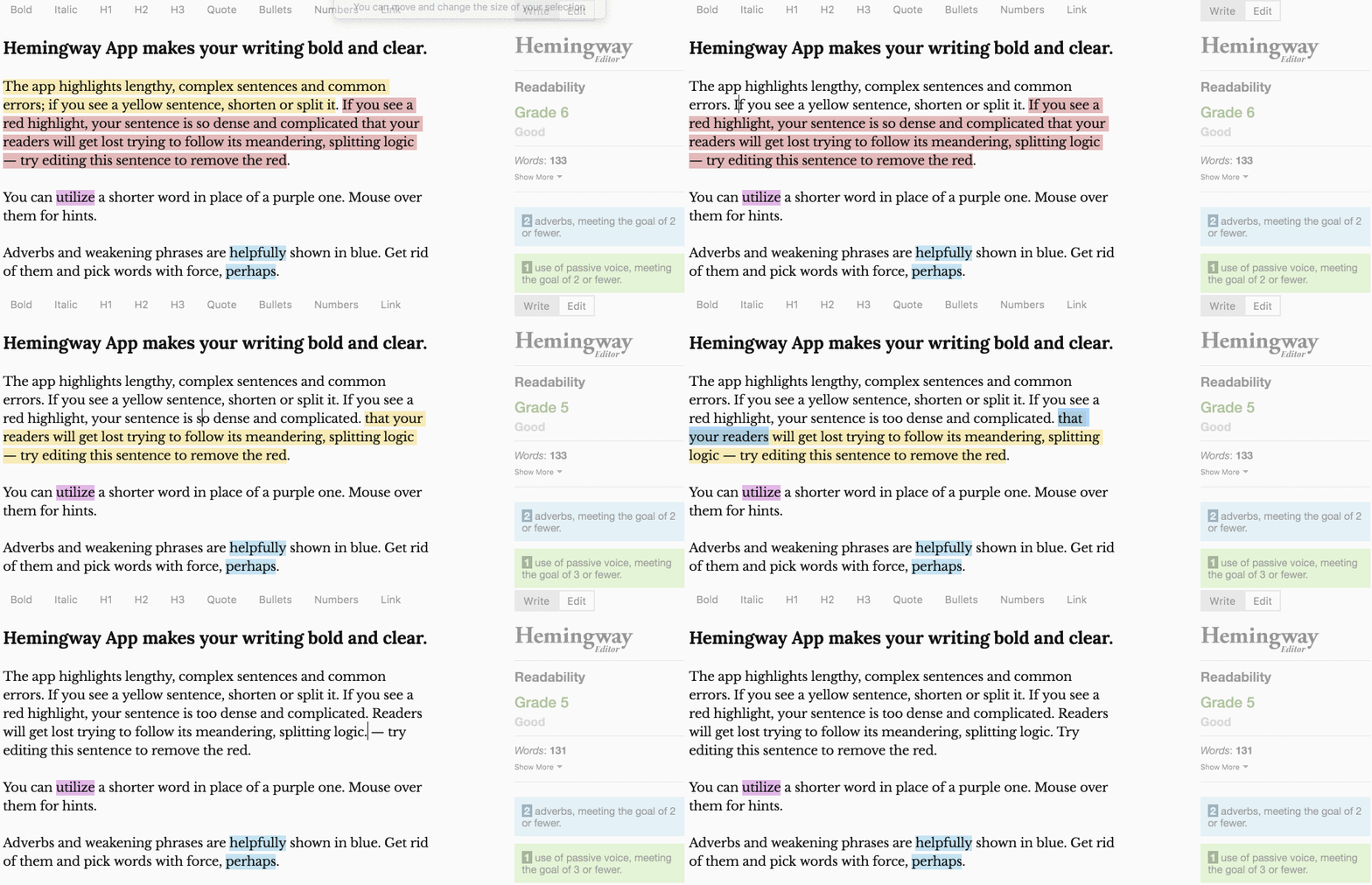
Hemingway evaluates your text for readability and highlights complex sentences, passive voice, hard‑to‑read sections, and adverbs that weaken writing.
Why it’s great:
-
Encourages concise, clear writing
-
Shows readability score (grade level)
-
Highlights sentences to simplify
How beginners use it:
Paste your draft into Hemingway, then revise long or complicated sections.
Free tier benefits:
All core readability suggestions available online.
3. Google Docs – Writing, Organizing & Collaboration


What it does:
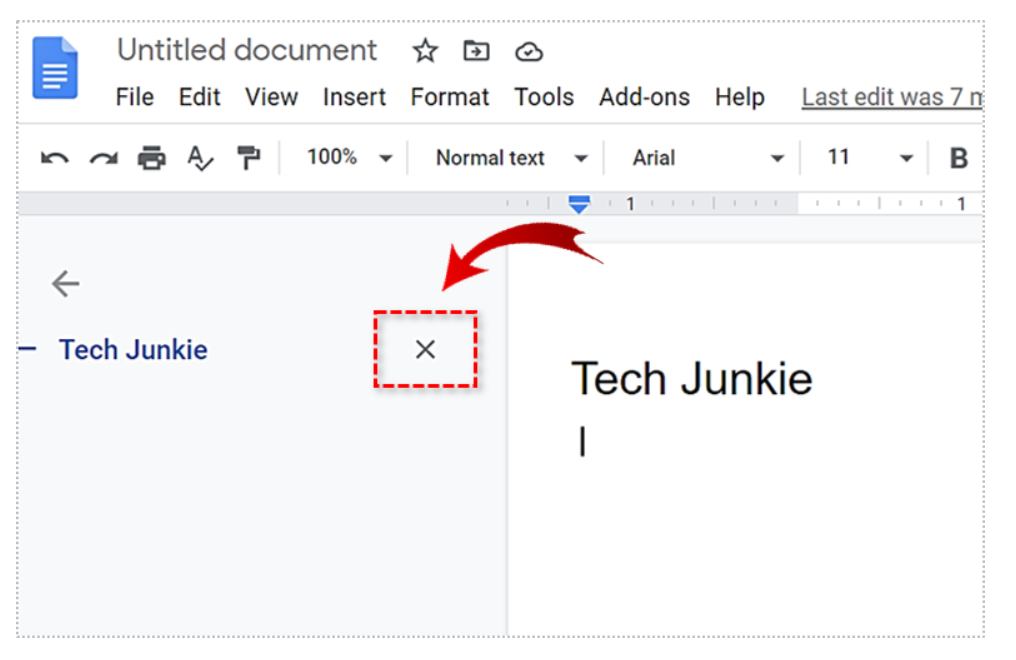
Google Docs is a cloud‑based document editor. It autosaves work, supports collaboration, and offers built‑in basic grammar/spell checks and research tools.
Why it’s great:
-
Easy to draft and organize blog posts
-
Share with editors or collaborators
-
Access from any device
-
Voice typing for faster drafting
How beginners use it:
Draft and outline posts before publishing. Use comments with collaborators to improve quality.
Free tier benefits:
Full access with a Google account.
4. Wordtune – A Rewrite and Clarity Tool
What it does:
Wordtune suggests alternative ways to phrase sentences to improve tone, clarity, or style.
Why it’s great:
-
Offers different writing tones (formal, casual, concise, detailed)
-
Helps break writer’s block
-
Improves content flow
How beginners use it:
Highlight a sentence and choose a suggestion that sounds better or clearer.
Free tier benefits:
Limited rewrites daily, enough for occasional use.
5. QuillBot – Paraphraser and Grammar Assistant
What it does:
QuillBot rewrites sentences and paragraphs, helping improve clarity or avoid repetition, and also includes grammar checking.
Why it’s great:
-
Multiple rewrite modes (standard, fluency, creative)
-
Integrated thesaurus
-
Summarizes long text
How beginners use it:
Use QuillBot to refine overly repetitive or unclear sections.
Free tier benefits:
Basic rewriting and grammar tools.
6. AnswerThePublic – Research What Readers Ask


What it does:
This tool shows real questions and search phrases people use around a topic.
Why it’s great:
-
Generates ideas based on actual user queries
-
Helps plan blog structure and FAQs
-
Improves relevance and user satisfaction
How beginners use it:
Enter a topic to see common questions, then structure your content to answer them.
Free tier benefits:
Daily free queries.
7. Google Trends – Know What Readers Care About
What it does:
Google Trends shows how popular a topic or keyword is over time and across regions.
Why it’s great:
-
Helps identify trending topics
-
Shows seasonal interest patterns
-
Improves content planning
How beginners use it:
Check trends before writing to pick topics that match what readers are searching for now.
Free tier benefits:
Fully free tool.
8. Readable.com – Check Your Readability Score
What it does:
Readable evaluates text for overall readability scores and suggests improvements.
Why it’s great:
-
Helps match your writing to your audience’s reading level
-
Useful for blog sections that must be clear and simple
How beginners use it:
Paste draft text and adjust sentences to match reading goals.
Free tier benefits:
Limited daily assessments but effective for occasional checks.
9. TechTerms / Merriam‑Webster – Quick Research for Writing Clarity
What they do:
Online dictionaries and glossaries help define terms, ensure correct usage, and clarify complex concepts.
Why they’re great:
-
Avoid misusing terminology
-
Improve clarity and accuracy
-
Provide simple explanations for readers
How beginners use them:
When unsure about a term, check definitions to explain it accurately in your content.
Free tier benefits:
Fully free access.
10. Evernote / Obsidian – Research and Idea Organization
What they do:
These tools help store notes, research snippets, outlines, and content ideas in one place.
Why they’re great:
-
Perfect for topic research
-
Organize ideas by category
-
Sync across devices
How beginners use them:
Save topic ideas, quotes, user questions, and outlines for future blog posts.
Free tier benefits:
Core note‑taking features available free.
Frequently Asked Questions
Do these tools replace writing skills?
No. Tools assist and improve your writing, but good writing still requires thought, clarity, and value for readers.
Should I use all these tools for every blog post?
Not necessarily. Start with Grammarly, Hemingway, and Google Docs. Add others gradually as you need research and refinement.
Are free tools enough for serious blogging?
Yes, for beginners and many intermediate bloggers. Premium tools help at scale, but most blogs grow significantly with these free resources.
Do these tools help with SEO?
Indirectly, yes. Clear, well‑structured content with correct grammar and readability keeps users engaged—an important signal for search engines.
Final Thoughts
High‑quality blog content starts with clear writing, relevant topic choice, and engaging structure. The free tools listed above help you draft, edit, research, and polish your posts without spending money or hiring an expert. As you practice and refine your writing, these tools will boost confidence, enhance professionalism, and make your blog more valuable to readers.
Start with one or two tools, then grow your toolkit as you go. Great content doesn’t come from tools alone—it comes from intention, clarity, and a focus on helping your readers.